
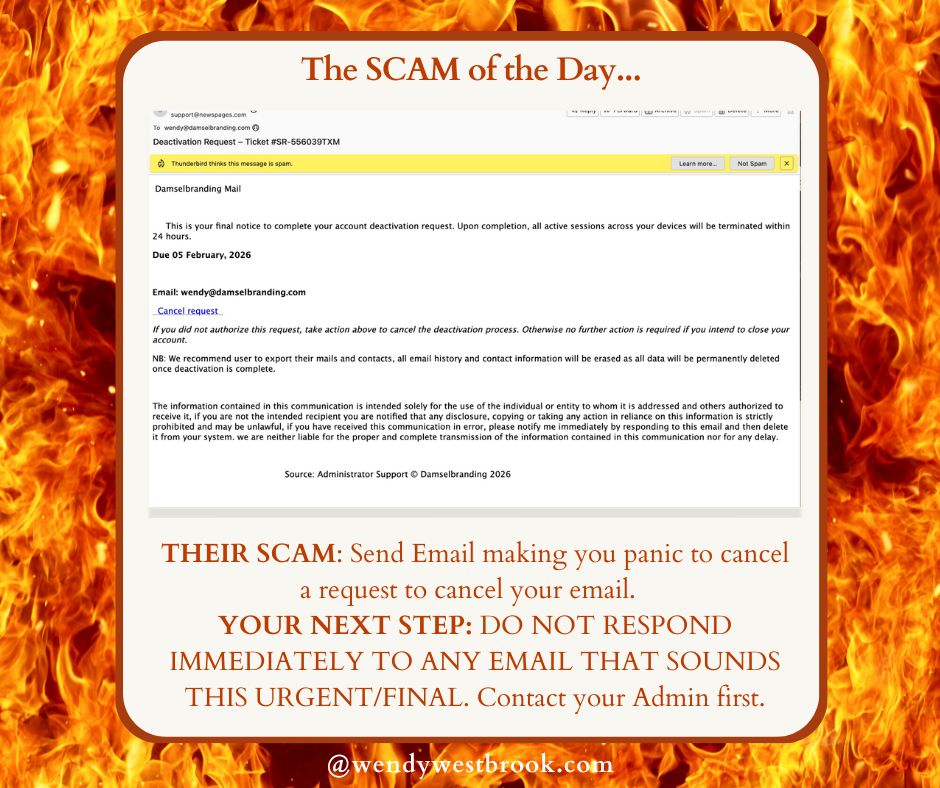
 If you manage a website, a business email, or an online storefront, you’ve probably received at least one alarming message like this:
“Final notice. Your account will be deactivated within 24 hours.”
These emails are designed to trigger panic – and they often succeed.
Recently, I received an email claiming I had requested the deactivation of my business email account. It included a deadline, warnings about data loss, and a convenient link to “cancel” the request. The problem? I am the server administrator. I knew immediately that no such request had been made.
But many business owners aren’t server admins. And that’s exactly who these messages are targeting.
Urgency Is a Red Flag, Not a Call to Action
Scam emails and fraudulent text messages rely on urgency. The goal is to bypass rational thinking and push you into clicking a link before you have time to verify anything. Phrases like:
- Final notice
- Immediate action required
- Account suspension pending
- Deactivation scheduled
are intentionally alarming. Real hosting providers and email services do not rely on fear-based messaging with random deadlines and generic language.
If an email or text pressures you to act right now, stop.
Never Click Links Before Verifying the Source
Clicking a link in a fake deactivation notice can lead to:
- Credential theft (email, hosting, WordPress, cPanel)
- Malware installation
- Financial fraud
- Domain hijacking
- Complete website loss
In some cases, clicking a single link can give attackers access to billing portals, saved payment methods, or administrative accounts. The cleanup process can take days—or weeks—and often costs far more than prevention.
Always Confirm With Your Site or Server Administrator
Before taking any action:
1. Do not click any links in the message
2. Check who the email is actually from (not just the display name)
3. Log in directly to your hosting provider using a saved bookmark
4. Contact your web developer, hosting provider, or server admin to confirm
If you don’t know who manages your hosting, email, or DNS, that’s something worth fixing *before* an emergency happens.
The Real Cost of Reacting Too Fast
For small business owners, reacting immediately to a fake notice can cause:
- Lost revenue from downtime
- Missed client emails
- Damaged reputation
- Hours or days wasted fixing avoidable problems
- Unexpected expenses to recover compromised accounts
That’s time and money that should be spent growing your business – not cleaning up a mess created by a scammer.
Slow Down. Verify. Then Act.
Scammers succeed when people feel rushed. Professionals pause, verify, and confirm through trusted channels.
If you receive a website, server, or email deactivation notice – especially one you didn’t request – assume it’s suspicious until proven otherwise.
Taking five minutes to verify can save you months of frustration.